You start a load, walk away, and come back to a blinking code and a drum full of wet laundry. The code says very little on its own, but it's more specific than it looks. Samsung washers use short codes for the few things that go wrong most often, and each one has a clear first check.
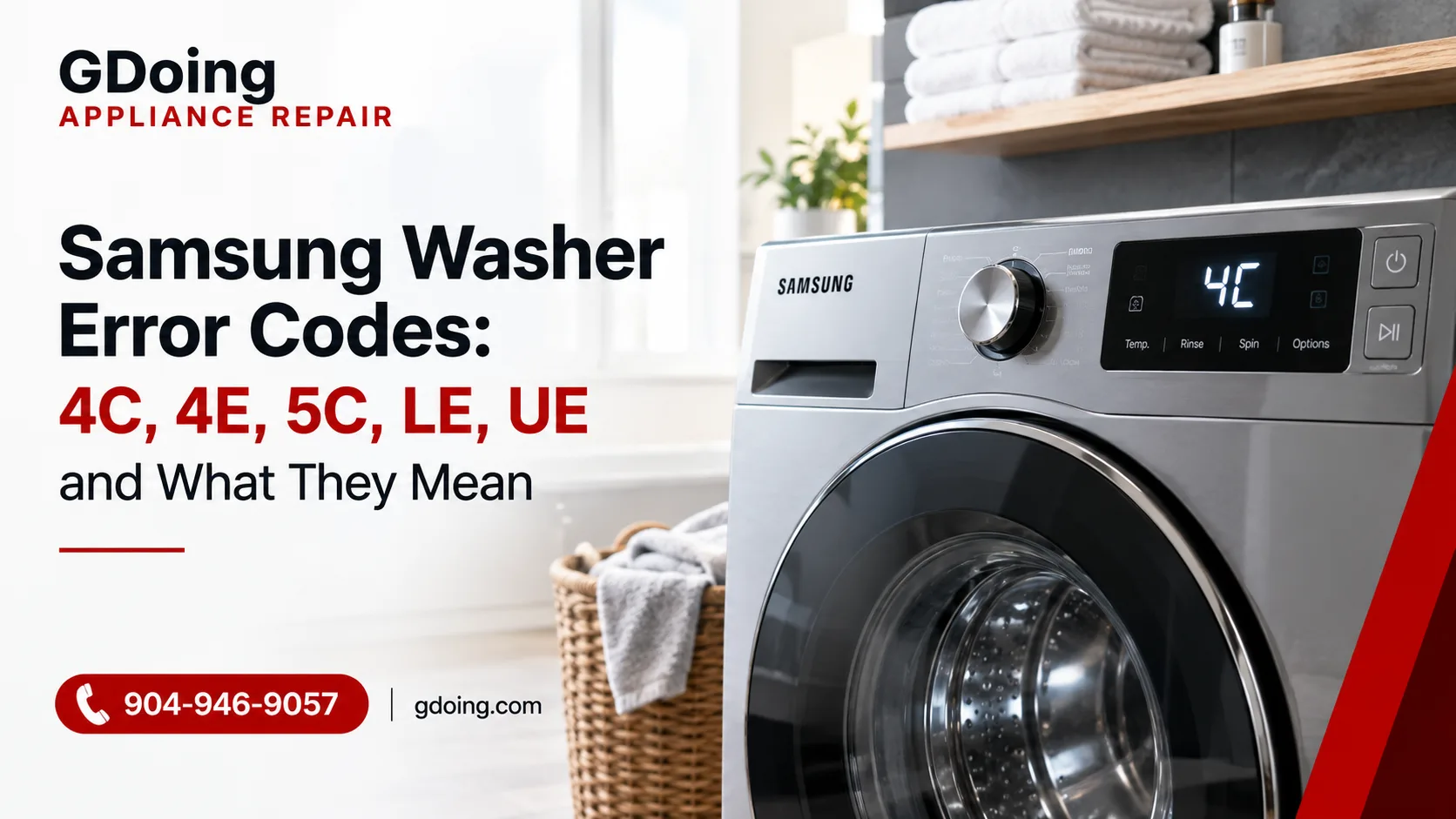
If you're asking what 4C means on a Samsung washing machine, here's the quick answer: the washer isn't taking in water the way it should. Below, we decode 4C, 4E, 5C, LE and UE, show what you can safely try yourself in a few minutes, and explain the signs that mean it's time to call a pro.
One thing that trips people up: Samsung uses two code styles across its models, so the same fault can appear as 4C or 4E, 5C or 5E, LE or LC. The letter changes, the meaning doesn't.
Samsung Washer Error Codes at a Glance
|
Code |
What it means |
Most common cause |
Check first |
|
4C / 4E |
Washer isn't filling with water properly |
Closed tap, kinked hose, clogged inlet screens |
Water taps and supply hoses |
|
5C / 5E |
Washer isn't draining |
Clogged pump filter or kinked drain hose |
Drain hose and pump filter |
|
LE / LC |
Water level or leak error |
Leak at a hose connection or a level-sensing problem |
Floor and hose connections |
|
UE / UB |
Unbalanced load |
Heavy items bunched on one side, or washer not level |
Load distribution and leveling |
Safety first: before you check hoses, filters or anything inside the machine, turn the washer off and unplug it. If you're disconnecting hoses, close both water taps first.
What Does 4C Mean on a Samsung Washing Machine?
4C is a water supply error. The washer is trying to fill, but water isn't coming in fast enough or isn't coming in at all, so the control board stops the cycle and shows the code. It's one of the most common Samsung codes we see, and it's often fixable without any tools.
4C vs. 4E: is there a difference?
No. Samsung's own support page groups them together as the "not filling" error, along with nF on some models. If your washer says 4E, everything below applies to you too.
Common causes of a Samsung 4C error
-
Water taps that aren't fully open. Samsung recommends opening the valves completely and leaving them open while the washer runs.
-
Kinked or pinched supply hoses, especially if the washer was pushed back against the wall.
-
Clogged inlet screens. Small mesh filters at the water inlets catch sediment. When enough debris builds up, water can't get through.
-
Hot and cold supply hoses connected incorrectly. If the hoses are swapped or the hot line isn't connected, the washer can show a water-supply error. Connect the cold supply to the cold inlet and the hot supply to the hot inlet.
-
Low water pressure in your home.
-
A failing inlet valve or water level sensor, which we'll get to in the case below.
What to check first
-
Open both water taps all the way. Then restart the cycle.
-
Look behind the washer. Make sure neither supply hose is kinked, crushed or squeezed against the wall.
-
Confirm the hoses are on the right inlets. Hot to hot, cold to cold.
-
Clean the inlet screens. Turn off the water, disconnect the hoses, gently pull out the mesh filters, and rinse them under running water until clean. Reconnect the hoses, turn the water back on and check for drips. Samsung's step-by-step instructions walk through this process, and they also note that a blockage in the dispenser drawer can sometimes trigger 4C or 4E.
-
Reset the washer. Turn it off, unplug it for a few minutes, then plug it back in and run a short cycle.
If the code comes back after all that, the problem is probably inside the machine. Also, if your washer's display or buttons act strangely alongside the error, this guide on control panel problems can help you tell the difference between a display issue and a real fault.
When 4C isn't really about the water supply
4C means "fill problem," but that doesn't always point to the water coming into your home. The washer judges how much water it has by reading a water level sensor. If that sensor reports the wrong level, the control board misjudges what's happening in the drum, and you can see 4C even when water is clearly there. The case below shows exactly how that looks.
What Does 5C Mean on a Samsung Washer?
If you're asking what 5C means on a Samsung washer, the answer is a drain problem. The washer can't empty the tub within the expected time. On some models you'll see 5E, SE or nd instead. All of them point to the same issue.
In our experience, the usual suspects are:
-
A clogged pump filter, which is the most common cause by a wide margin
-
A kinked, crushed or blocked drain hose
-
A drain pump that's failing or jammed with a small object
-
A washer that isn't sitting level
What you can do: Unplug the washer, then straighten and inspect the drain hose. If the tub is full and the door won't open, drain it first through the small drain tube behind the lower front panel (if your model has one). Then clean the debris filter. Put a shallow pan and towels down, because water will come out. One note from Samsung: don't remove the screw on the back of the washer that holds the drain hose against the cabinet.
If you want a deeper walkthrough, we've covered it step by step in our guide on why a washer isn't draining properly. Samsung also lists the drain error in its official error code guide.
What Does LE Mean on a Samsung Washing Machine?
LE (also shown as LC or 1E on some models) is a water level or leakage error. Your washer has detected either water where it shouldn't be, or a water level reading that doesn't make sense.
Start with the step Samsung recommends first: look for evidence of a leak. Check the floor around and behind the machine, then inspect the hose connections at the wall and at the back of the washer. If you find a leak and fix it, the error should clear. Also make sure the supply hoses and the drain hose aren't kinked, and that the washer stands level.
Run an empty cycle without detergent to check whether excessive suds are contributing to the error.
If you can't find any water but LE keeps returning, stop restarting the cycle. The cause could be a loose clamp, a worn internal hose, a seep from the pump housing, or a level sensor that's misreading. None of these is easy to confirm without opening the cabinet, so this is the point to book a technician.
What Does UE Mean on a Samsung Washer?
It's the least worrying code on this list. UE means the washer detected an unbalanced load during spin and stopped to protect itself. On some models you'll see UB instead. Samsung's advice is to make sure the machine is on a flat, stable surface, then work through a few simple steps.
Quick fixes for UE
-
Redistribute the laundry. Pause the cycle, open the door and spread the clothes out evenly. Untangle anything twisted together.
-
Avoid washing one heavy item alone. A single bathrobe, rug or pair of jeans can throw the drum off balance. Add a couple of towels to even it out.
-
Check that the washer is level. If it rocks when you push on a corner, adjust the feet until it's steady.
-
If it's a new installation, make sure the shipping bolts have been removed.
-
If the door stays locked with water inside, run a drain program, or drain the machine manually through the debris filter hatch.
Calibrating the washer
Some Samsung models recalibrate automatically; others need a manual calibration. Samsung's calibration instructions explain how to run Calibration Mode. On supported models, empty the drum, power the washer off and on, then hold the Temp and Delay End + buttons for about three seconds until "CB" appears. Press Start/Pause to begin calibration. The drum rotates in both directions for up to three minutes. Button combinations vary by model, so check your owner's manual to confirm the correct procedure for your washer.
When UE keeps coming back
If your loads are balanced, the washer is level and UE still appears, the cause may be worn suspension components or a sensor problem. If you're also noticing weak or missing spin, our guide on why a washer isn't spinning properly covers what to look for next.
Real Case: Samsung 4C Error and an Overflowing Drum in St. Augustine
This one shows why a code doesn't always tell the whole story.
A customer in St. Augustine called us about a Samsung washer showing 4C. On paper, that's a "not filling" error. But there was a problem with that picture: the drum was overflowing. A washer that can't get enough water doesn't usually have too much of it, so something didn't add up.
That mismatch told us where to look. Instead of starting with the hoses and inlet screens, we focused on how the washer was measuring water. The culprit turned out to be the water level sensor. It wasn't reporting the water level correctly, so the washer couldn't tell what was really happening in the drum, and the result was both the error code and the overflow. A stuck inlet valve can cause a similar overflow, which is why we test both parts.
We replaced the sensor and ran the washer through a test cycle to confirm it filled, stopped and drained correctly. The customer was back to normal laundry days, and the whole visit took about an hour.
The lesson: if you see 4C and the drum is already full, or filling on its own, stop the cycle, turn off the water taps, unplug the washer and call for service. Continuing to run it risks a flooded floor. If you're in the area, our team handles appliance repair in St. Augustine and nearby communities.
When to Stop DIY and Call a Pro
Some codes deserve a quick DIY check; others don't. Call a technician if:
-
Water is overflowing or leaking onto the floor
-
The code returns after you've checked the taps, hoses, filters and reset the washer
-
You notice a burning smell, sparking or a tripped breaker
-
The door is locked with water inside and the drain program doesn't help
-
You're not comfortable disconnecting hoses or opening panels
If you're weighing repair against replacement, our overview of what affects Samsung appliance repair cost explains the factors that matter.
How We Fix Samsung Washer Error Codes
Our technicians start by finding the real cause behind the code instead of swapping parts and hoping. You get a plain-language explanation of what we found, a repair with original replacement parts, and a warranty on the work. We offer same-day service whenever possible, because a broken washer doesn't wait. If your Samsung is showing a code you can't clear, contact us and we'll take it from here.
FAQ
Can I keep using my Samsung washer with a 4C error?
It's best not to. If 4C appears with no water in the drum, you can safely check the taps and hoses. But if the drum is filling by itself or overflowing, turn off the water and power and call a technician.
How do I reset a Samsung washer after an error code?
Fix the underlying cause first, then turn the washer off and unplug it for a few minutes. Plug it back in and run a short cycle. If the code returns, the problem hasn't been resolved.
Are 4C and 4E the same error?
Yes. Both mean the washer isn't filling properly. Which one you see depends on your model.
Is 5C the same as 5E?
Yes. 5C, 5E, SE and nd all point to a drain problem, and the code simply varies by model.